Track all agent runs, error rates, LLM calls, tokens used, and tool executions. Monitor traffic patterns and duration metrics across your AI-powered features.
Full observability for your AI stack
Track every LLM call, token cost, and tool execution. Debug AI agents with full traces, prompts, and responses—in the same place you already monitor the rest of your app.
Tolerated by 4 million developers.
- Nextdoor
- Instacart
- Atlassian
- Cisco Meraki
- Disney
- Riot Games
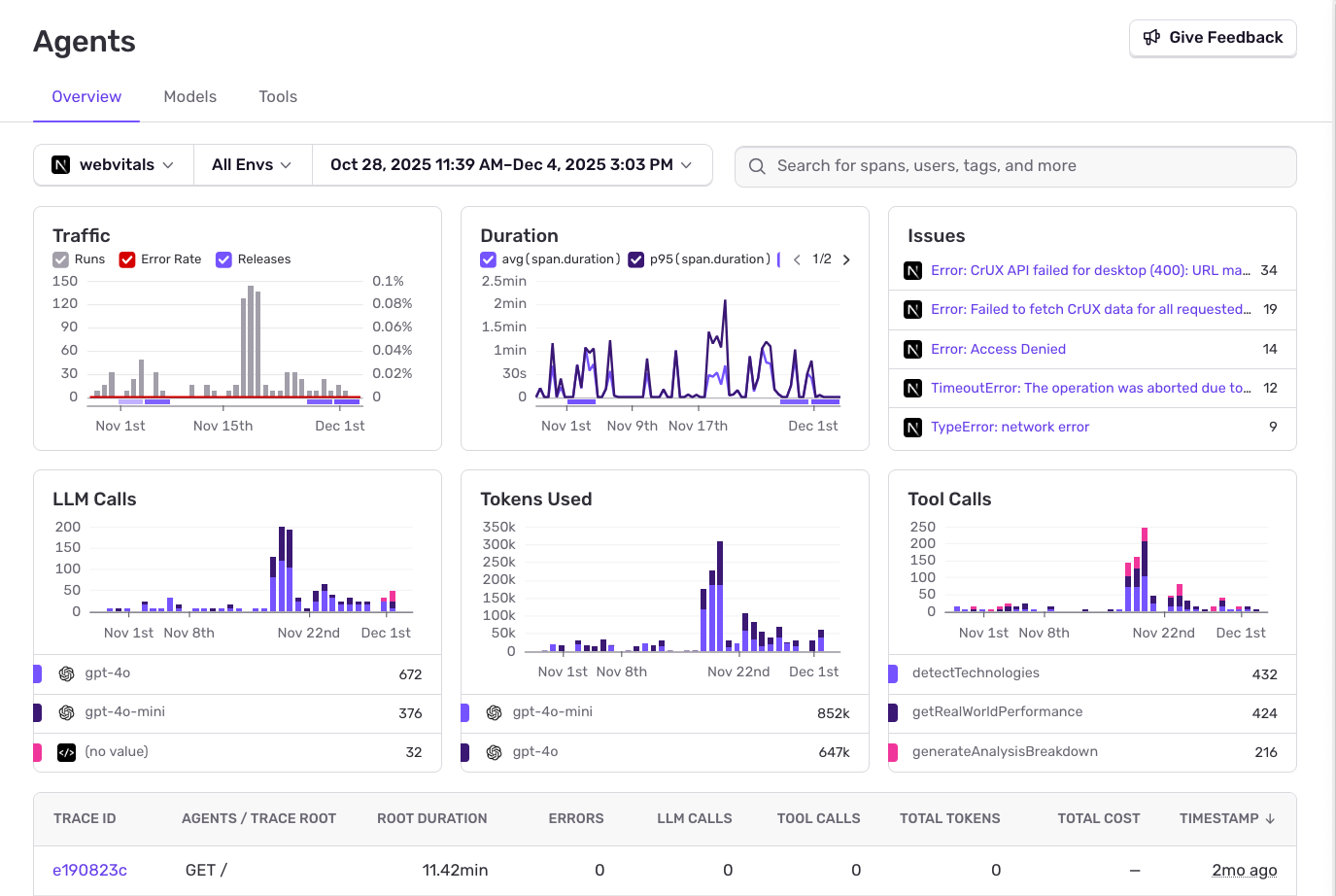
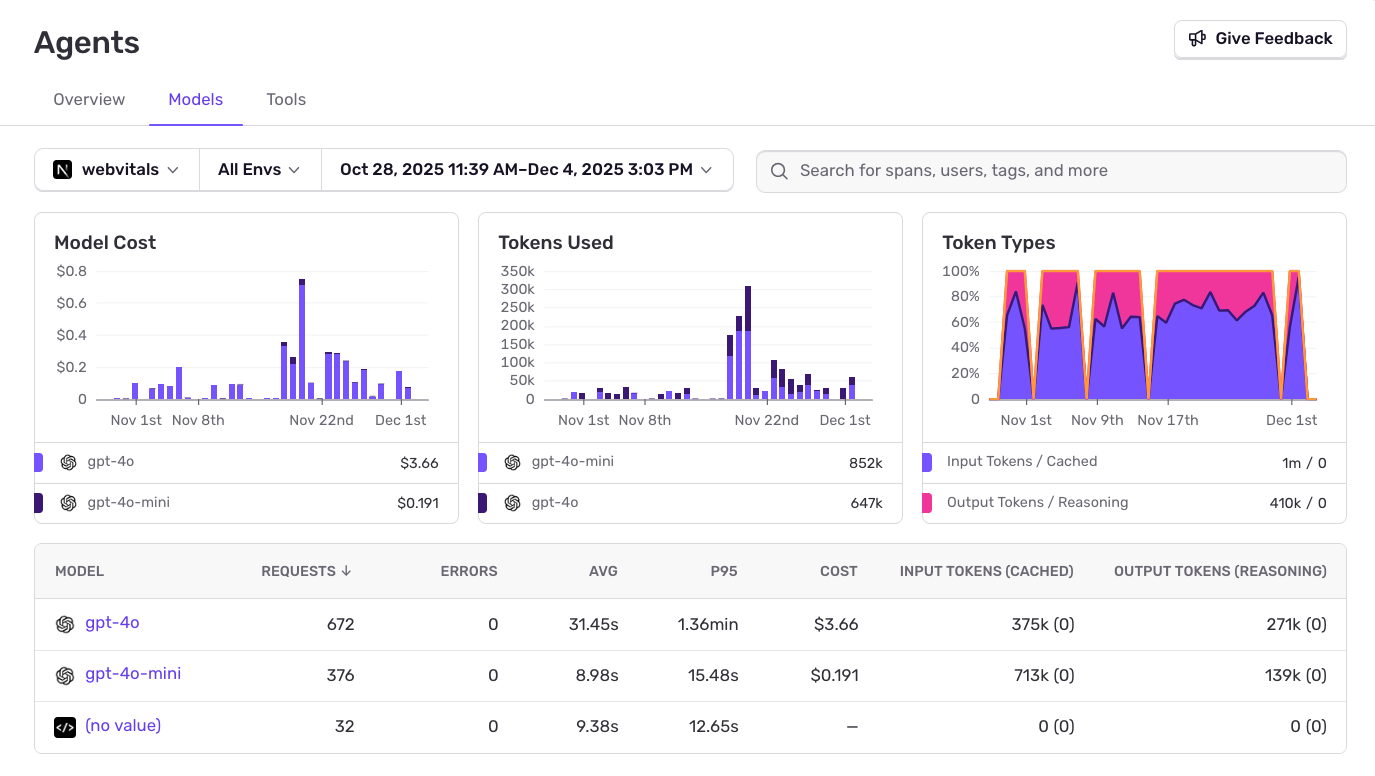
Monitor spending across models.
Compare costs across different models. See token usage breakdown by model, track input vs output tokens, and identify expensive operations.
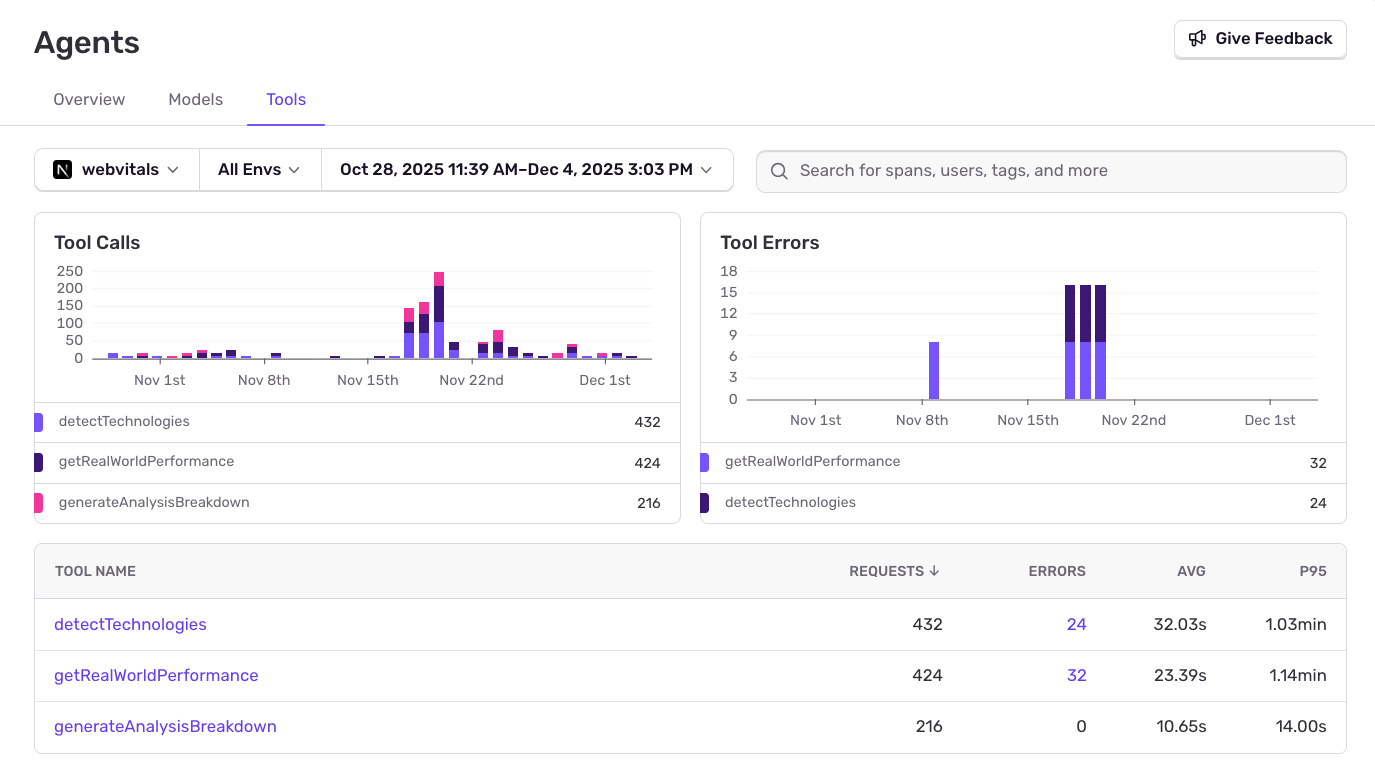
Track agent tool calls and errors.
See which tools your agents call, their error rates, average duration, and P95 latency. Identify slow or failing tool executions before they impact users.
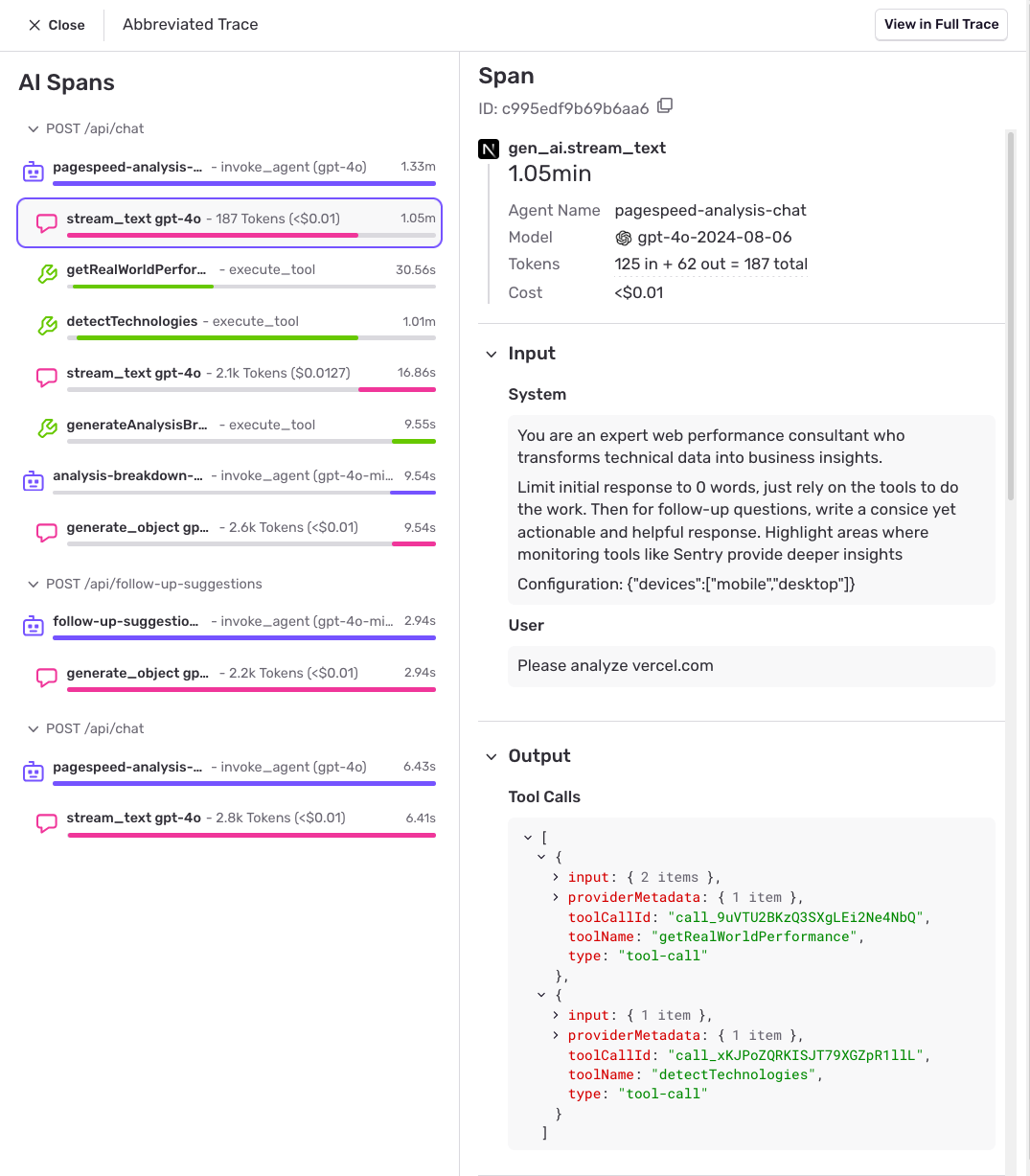
Debug with full context.
Dive into individual requests with full prompt and response context. See AI spans with agent invocations, tool executions, token counts, costs, and timing—stitched into the same traces, errors, and replays you already use to debug the rest of your application.
Sentry played a significant role in helping us develop Sonnet. We went from being stuck in crash loops for days to pulling bad nodes in hours and getting the job running again.
Read MoreAnthropic testimonial