
NestJS Error and Performance Monitoring
Actionable insights to resolve NestJS performance bottlenecks and errors. Improve your NestJS monitoring workflow with a full view of releases so you can mark errors as resolved and prioritize live issues.
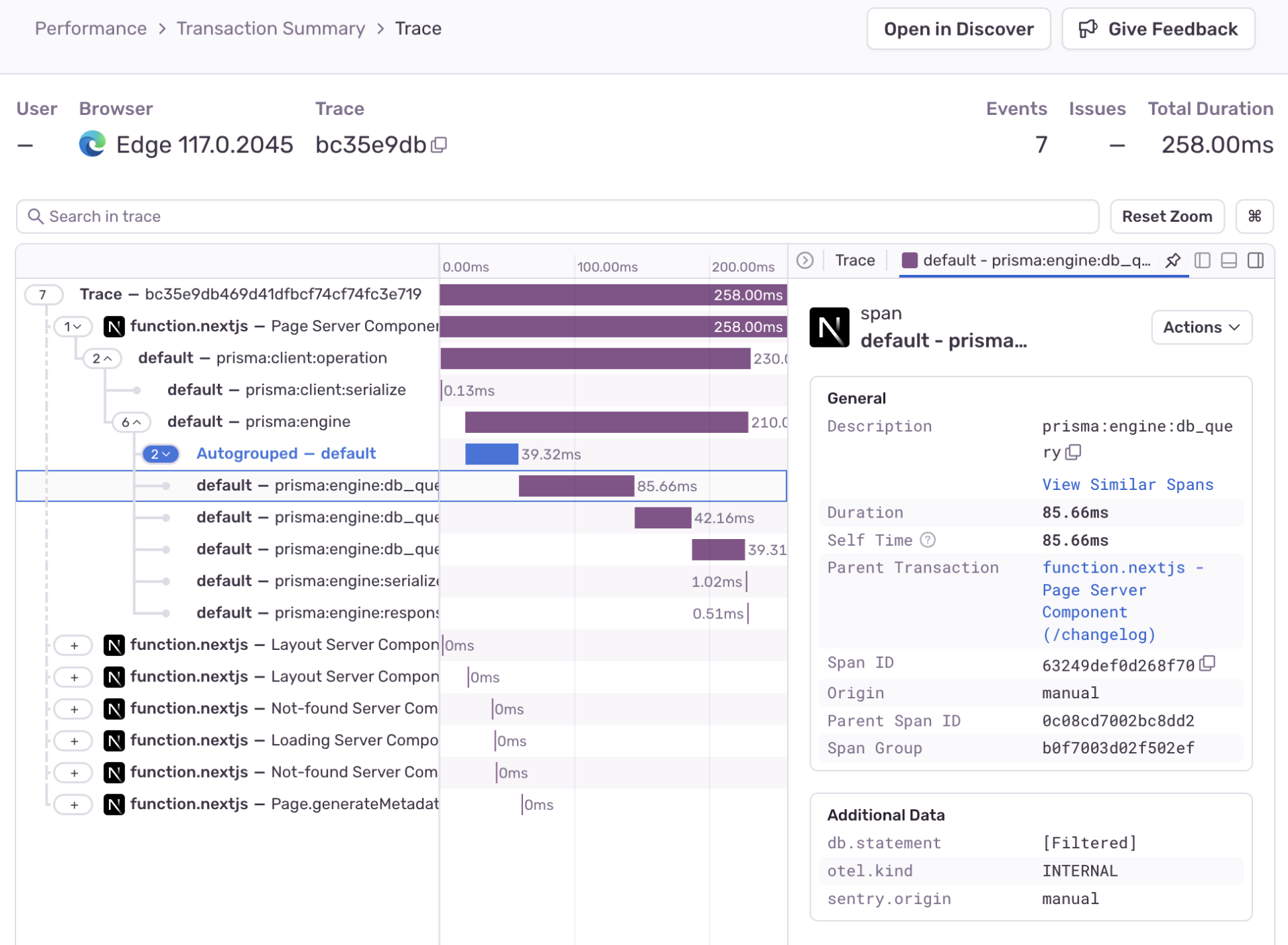
Powered by OpenTelemetry
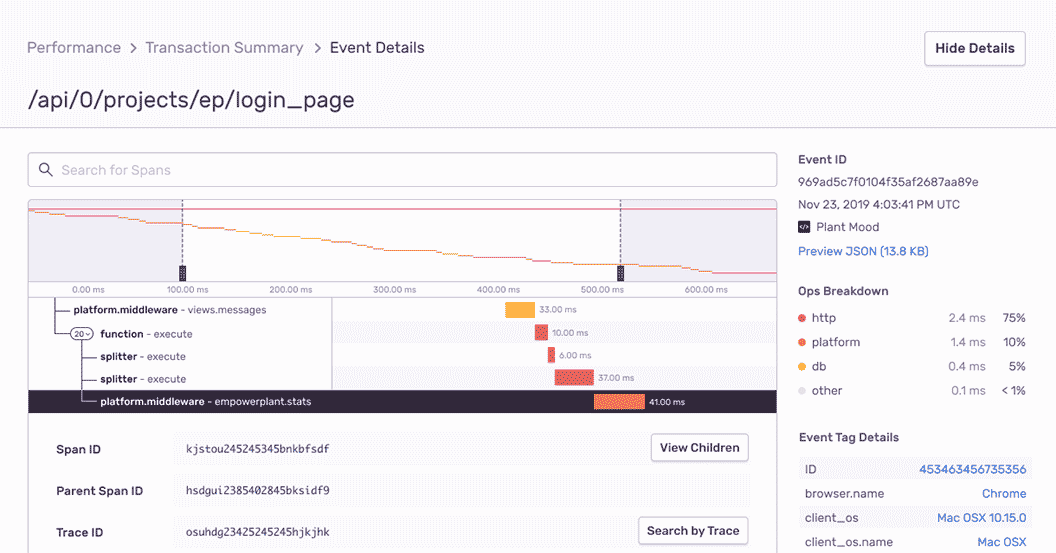
NestJS Performance Monitoring
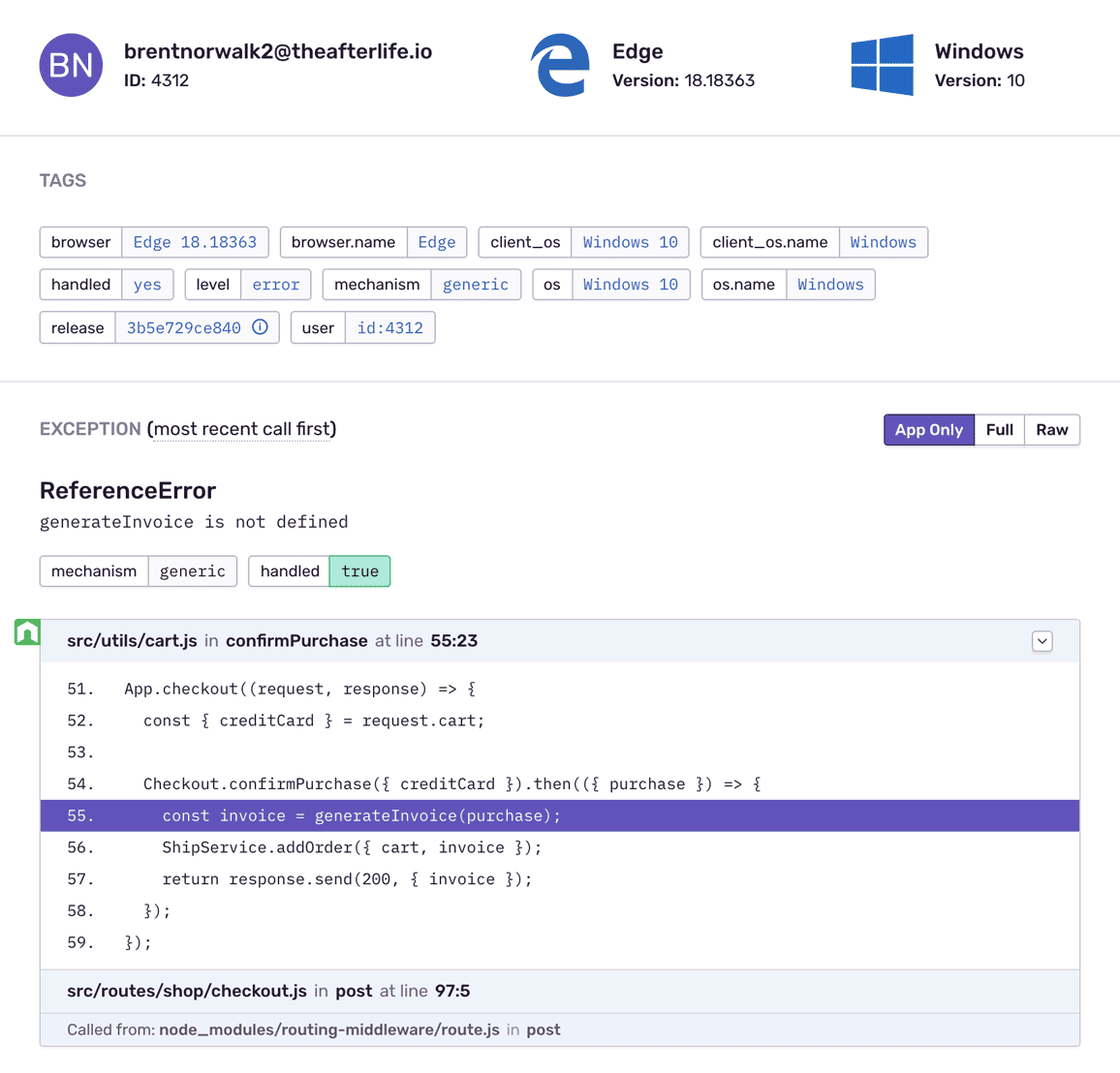
NestJS Error Monitoring with Complete Stack Traces
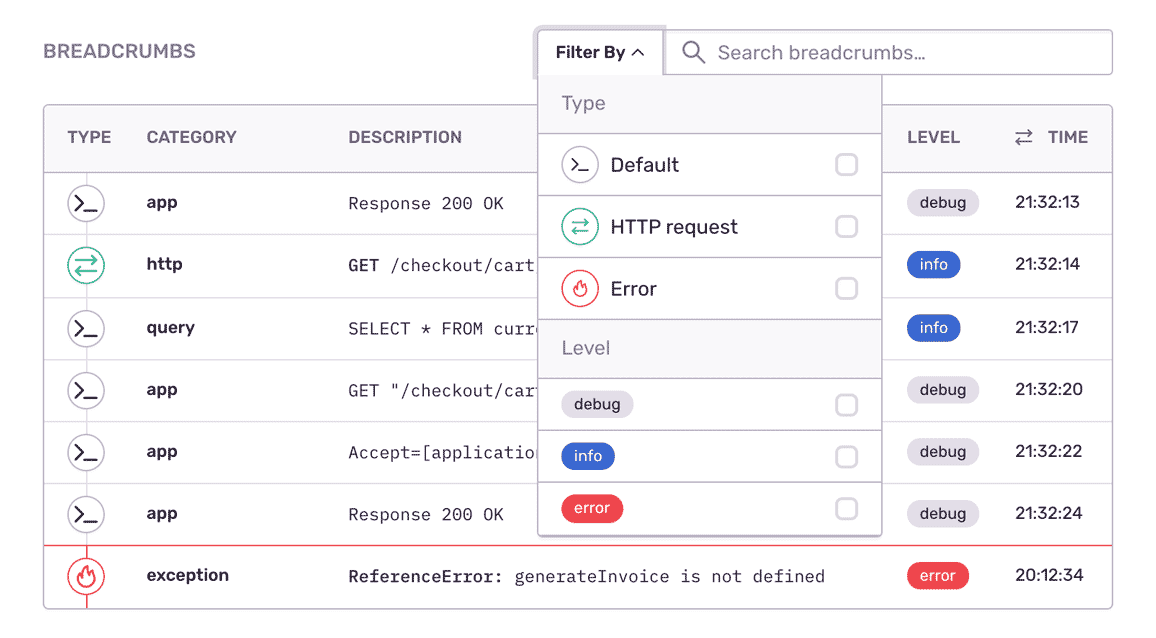
Fill In The Blanks About NestJS Errors
NestJS Application Profiling
"Sentry's high-quality tooling helps Disney+ maintain high-quality service to its tens of millions of global subscribers."
See the Full Picture of Any Exception
Aggregate errors by factors like request details, user ID, and event level to see what's new, a priority, or a trend.
Assign custom key-value tags to reproduce the error environment specific to your application, business, and users.
Find answers to key questions: Has an error with the same stack occurred before? In which app release did the NestJS bug occur?
It's why companies that don't have a complete view of their infrastructure are being punished:
The average cost of network downtime is around $5,600 per minute — or $300,000 per hour.
1 out of 5 online shoppers will abandon their cart because the transaction process was too slow.
On average, a two-second slowdown in page load decreases revenues by 4.3 percent.
FAQs
Sentry supports every major language, framework, and library. You can browse each of them here.
You can get started for free. Pricing depends on the number of monthly events, transactions, and attachments that you send Sentry. For more details, visit our pricing page.
Sentry doesn't impact a web site's performance.
If you look at the configuration options for when you initialize Sentry in your code, you'll see there's nothing regarding minimizing its impact on your app's performance. This is because our team of SDK engineers already developed Sentry with this in mind.
Sentry is a listener/handler for errors that asynchronously sends out the error/event to Sentry.io. This is non-blocking. The error/event only goes out if this is an error.
Global handlers have almost no impact as well, as they are native APIs provided by the browsers.
Yes. The Sentry Node.js SDK supports both CommonJS and ECMAScript modules, and instruments worker threads as well as your main process. On Node 18.19.0+ and 19.9.0+ it can also use TracingChannel diagnostics for more accurate instrumentation.
Sentry ships integrations for Express, Fastify, NestJS, Koa, Hapi, Connect and dozens of other JavaScript frameworks, plus OpenTelemetry support if you already have an OTel pipeline.
Yes. The Node.js SDK includes MCP (Model Context Protocol) server monitoring and agent tracing, so tool calls and agent steps show up as spans on the same traces as the rest of your backend.
That means a failing tool call, a slow model response, and the HTTP request that triggered them all sit on one trace. Learn more about AI Agent Monitoring.
Yes. Sentry Logs lets you send, view, and query structured logs from your application alongside your errors and traces. Because logs sit next to the error and the trace that produced them, you get the granular context — retries, API failures, internal state — that spans and stack traces alone can miss, without switching tools.
Learn more about Logs in Sentry.
Seer is Sentry's AI debugging agent. It reads the full context Sentry already has — the error, its stack trace, the surrounding trace, logs, and profiles — to find the root cause of an issue and propose a fix. Seer can open a pull request with that fix, hand the work to an external coding agent, or review your PRs before they ship.