Github
 Slack
Slack
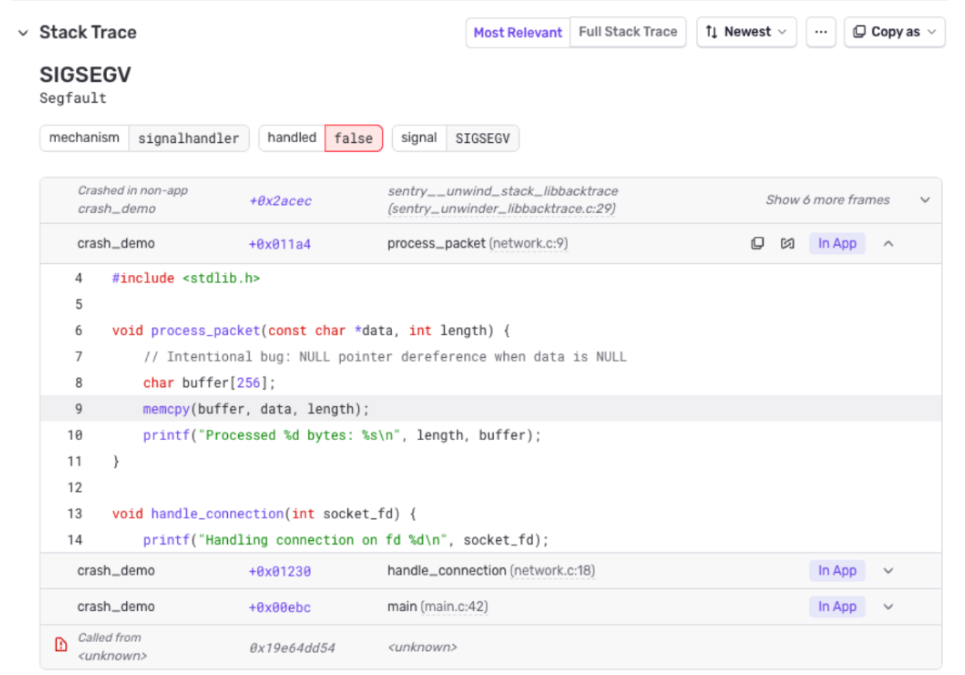
The Sentry + Perforce P4 integration is now generally available for all Sentry organizations. The integration connects your P4 server directly to Sentry, unlocking the same source-code-aware debugging workflows that Git-based teams have relied on for years:
What's included:
- Stack trace linking— Click from an error’s stack trace directly to the corresponding file in your Perforce P4 depot or P4 Code Review (formerly Helix Swarm) instance.
- Commit tracking — Associate Perforce P4 changelists with Sentry releases so you always know exactly what code shipped.
- Suspect commits — Sentry automatically identifies which changelists likely introduced an error, cutting your triage time.
- Suggested assignees — Get assignment recommendations based on changelist authorship.
- P4 Code Review (formerly Swarm) linking - If your team uses the P4 Code Review (formerly Helix Swarm) application for code reviews and browser-based depot browsing, Sentry links directly to your P4 Code Review instance. Stack trace links open the exact file in P4 Code Review’s web UI, so reviewers and investigators can jump from an error straight into the code without needing a local workspace.
Getting started:
- Go to Settings > Integrations > Perforce, and enter your credentials.
- Configure code mappings to connect your Sentry projects to P4 depots.
- (Optional) enable SCM source context for inline code in stack traces.