Github
 Slack
Slack

Seer Agent is now in open beta for all Sentry users. Seer Agent helps you investigate any issue in your application. Ask it a question about an error, an anomaly, a spike, and it traverses the connections between your traces, spans, logs, deploys, and commits to surface what's relevant. It can automatically query sentry telemetry, fetch Sentry docs, search repos/git history.
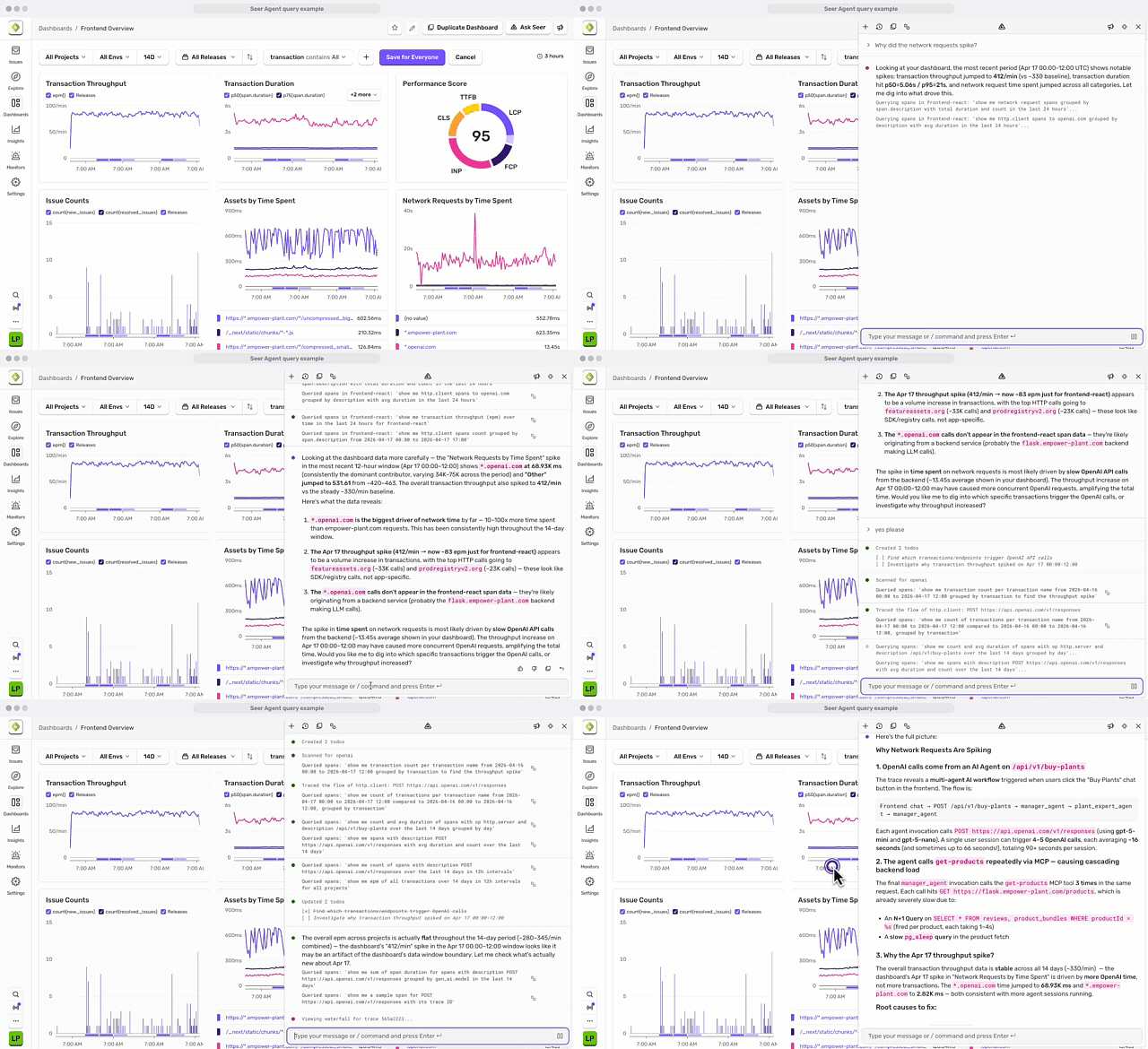
You can use it to answer open-ended questions about your telemetry and app, and accelerate debugging in situations where Sentry may not have already identified an issue (e.g. incident, customer bug report, metric trending in the wrong direction).
Ask it things like:
- Why did my p95 latency spike after the last deploy?
- What's causing this crash loop, and where in the code is it coming from?
- Why does this specific user keep hitting errors?
- Which services were unhealthy when this endpoint started failing?
To try it out:
In Sentry: Open any page and hit Cmd + / or click "Ask Seer" in the upper right. If you're not sure where to start, try one of the suggested prompts.
In Slack: Available through the Sentry Slack integration. Investigations happen in-thread, so anyone in the channel can add context, redirect mid-step, or search back through findings after the incident resolves.
Let us know how it went through the feedback button (it looks like a loudspeaker) in the toolbar.
Check out the blog for a walkthrough or the docs to get started.