Seer now has the ability to continue iterating on pull requests including responding to comments or making updates to pass certain CI checks.
Before this, changing anything about a Seer PR meant re-running Autofix and getting a brand-new PR. Now each iteration lands as follow-up commits on the existing PR, so the diff, the review thread, and the history stay in one place.
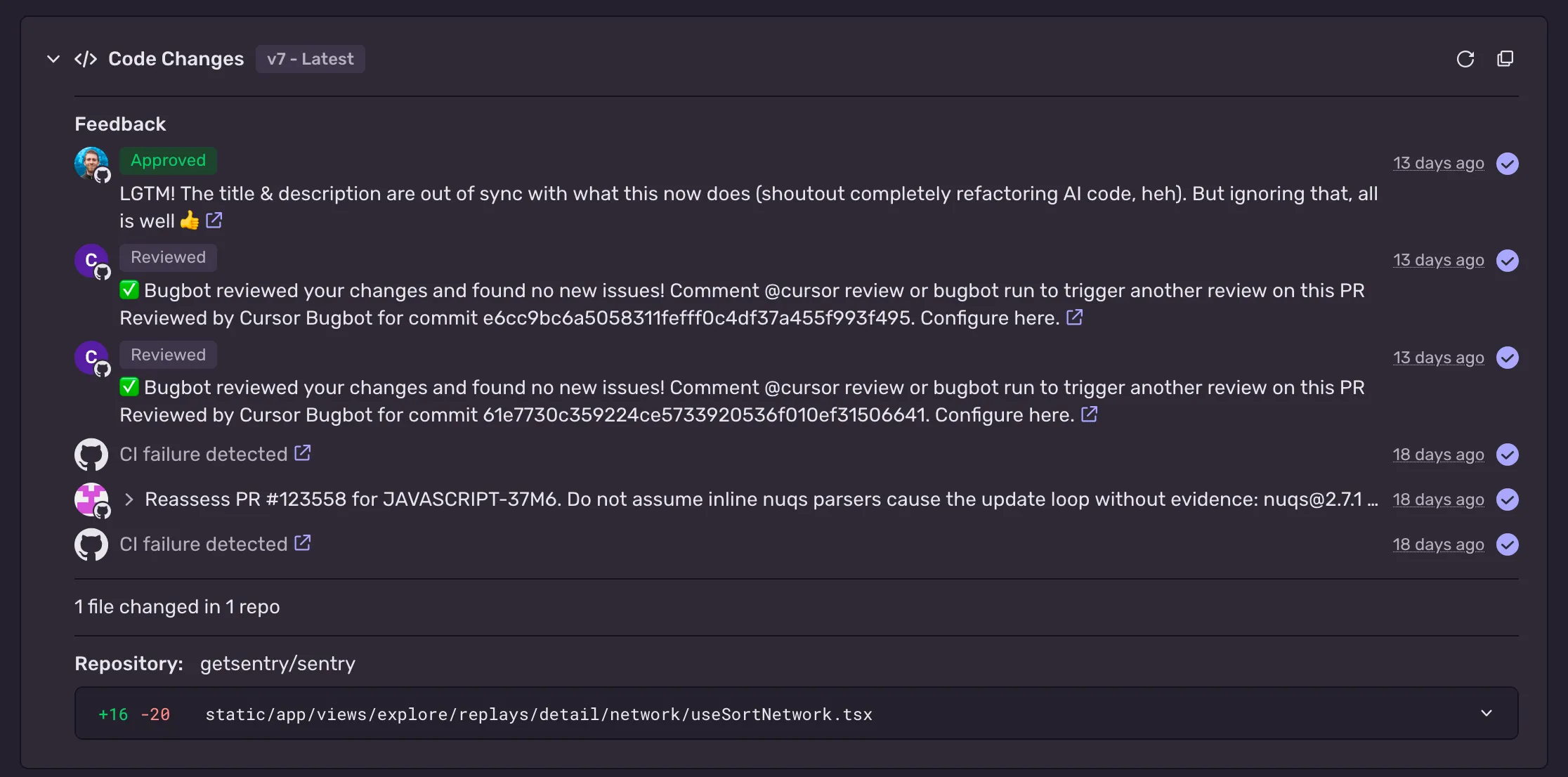
What's new
- Automatic CI fixes — When checks fail on a PR Seer opened, Seer investigates the failures and pushes changes to fix them. Automatic attempts are capped so it can't loop forever, and your feedback picks iteration back up.
- Feedback from Sentry — Open the Autofix panel on the Issue Details page, enter your instructions in the feedback field, and select Submit. Asking for a regression test or for a specific edge case to be handled both work well.
- Feedback from GitHub — Comment on the PR starting with
@sentry, such as @sentry Add a regression test for this fix. You need write access to the repository.
- Review comments, human or bot — Seer also picks up review summaries and inline comments from reviewers and review bots, with no
@sentry mention needed. Human reviewers need write access, and bot reviews have to include inline comments.
Things to know
- PR iteration works with GitHub only.
- Seer only changes code during iteration. It won't answer broader questions — use Seer Agent for those.
- If Seer needs more access, it comments on the PR with a link to review and accept the updated Sentry GitHub App permissions.
- Seer's changes are still proposals. Read the diff before you merge.
Learn more in the Autofix documentation.
 Github
 Slack
Slack