Monitor and reduce your mobile app size with Size Analysis

Get specific recommendations on how to make your mobile apps smaller. Upload builds from CI to spot regressions early, understand what's inside each bundle, and keep release artifacts lean.

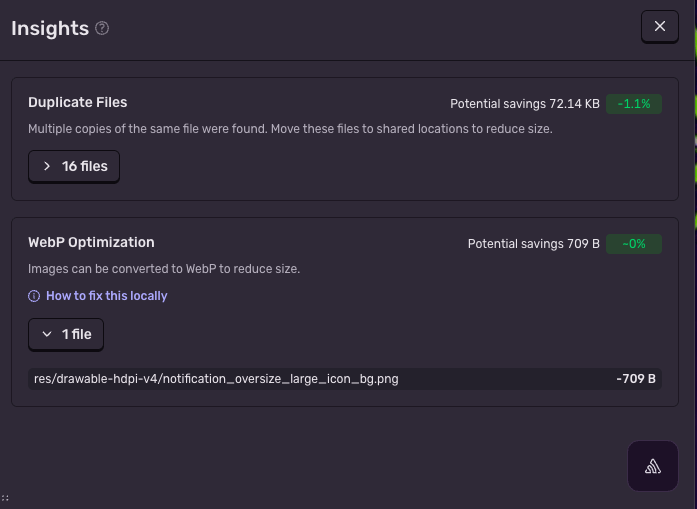
Get recommendations on how to reduce app size

Smaller app size means faster download times, better install rates, and lower uninstall rates. But app size issues are hard to diagnose without clear visibility.

Upload your app to Sentry and see exactly where the app's size is coming from, with specific recommendations and scripts to make the app smaller, like stripping debug symbols from production binaries or minifying localized strings.
Learn More
Story section image

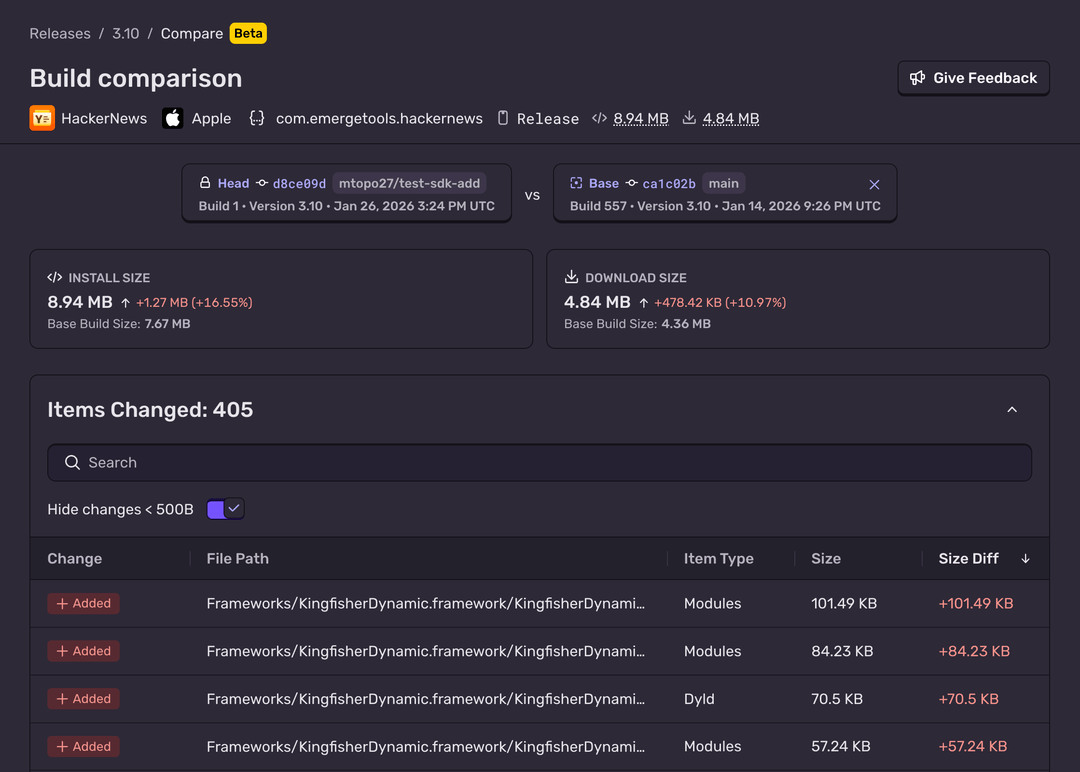
Use diffs to flag changes between builds

Overall Diff + Item Diff

The cumulative effect of small changes between builds can be tough to spot. Stave off app bloat by flagging and visualizing any changes between builds with diffs to easily see the impact of a new feature, SDK, or refactor. Catch anything that's been added, removed, or modified (like a duplicate file or an image that can be compressed).

Read The Docs

Integrate into your CI

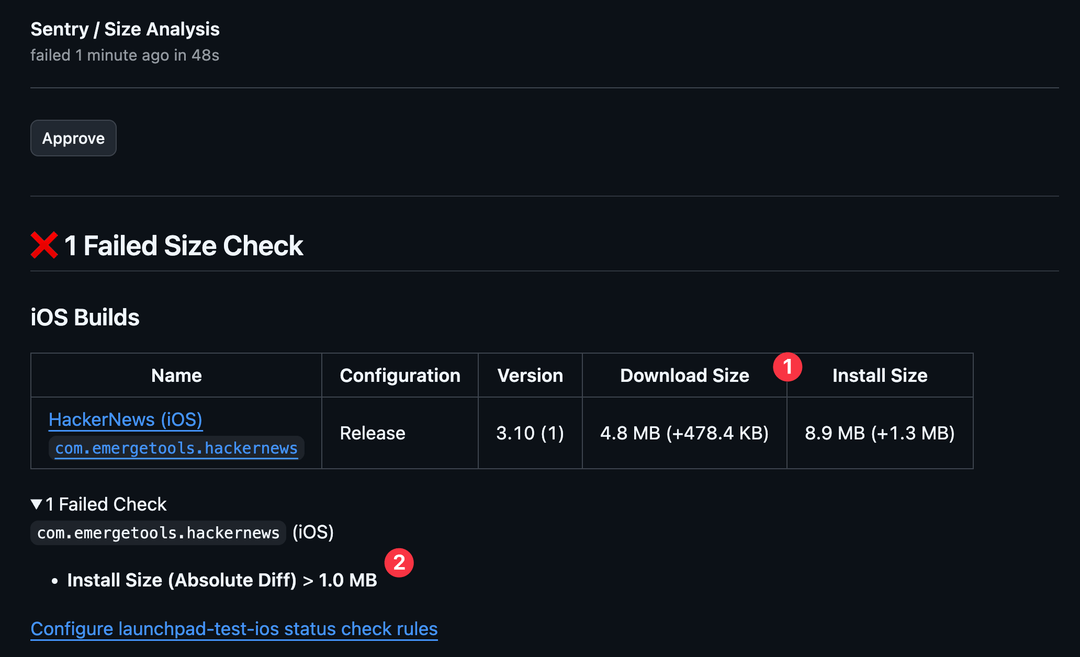
What gets measured gets managed. To keep a handle on app size over time, Size Analysis's GitHub integration brings automated status checks directly into your PR workflow. That means your team can see the size impact of any code change, and can block any PRs that contribute to unintended size increases.

Learn about the integration
Story section image

Size Analysis FAQs

Tracking and reducing the size of your mobile app can help with:

  • Faster downloads reduce install drop-off

  • Install size is linked to uninstall rates, particularly for customers with limited storage or slower connections

  • Size bloat can have downstream technical impact: longer build times, startup times, code complexity, etc.

To start using Size Analysis:

Size Analysis works on any iOS or Android app, including if you’re using a cross-platform framework like React Native or Flutter. All you have to do is upload a mobile build.

GitHub is currently the only supported platform for status checks. See the docs for more information on getting started.

You can access Size Analysis via the Releases page in Sentry. When one or more mobile projects is selected on the Releases page, you will see a 'Mobile Builds' tab, which will lists all mobile builds for the project.

Every Sentry organization can upload 100 mobile builds per billing period. More mobile builds are available via custom pricing on the Enterprise plan. For more details, refer to the pricing docs.

Fix It

Get started with the only application monitoring platform that empowers developers to fix application problems without compromising on velocity.