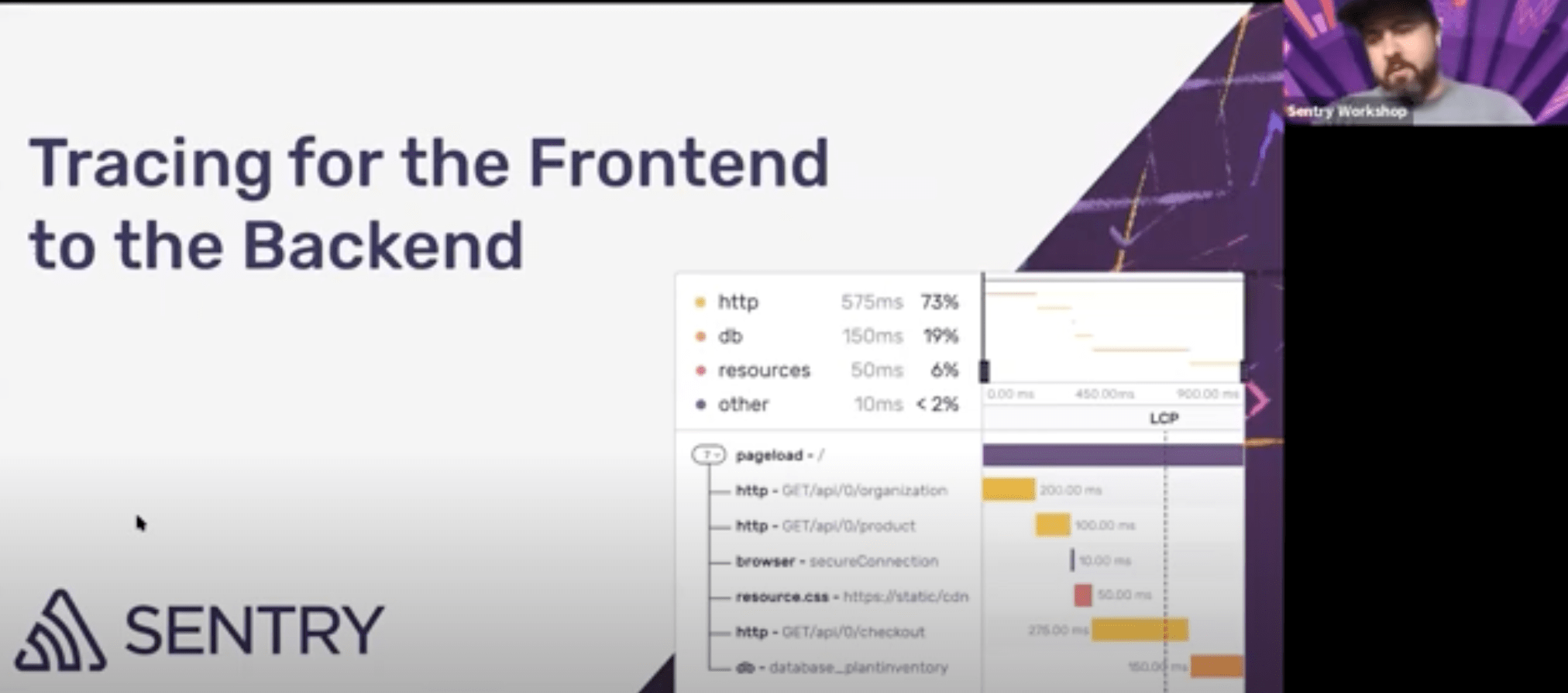
Distributed tracing — full context for every query, crash, and API call
Not sure why that API’s slow? Or where that crash came from? With connected context—from the first user action through every service, system, and line of code—Sentry's distributed tracing gets you to the fix fast, without digging through five different tools.
Debug with Tracing
A single bad query can bring your app to a crawl and send your DB bill into the stratosphere—but finding it in a sea of `EXPLAIN` commands is tough. Jump straight to the query causing delays with Tracing and Insights.
Your app usually loads fine, but some actions lag—and you’re not sure why.
See which API calls are slow, whether it's an overloaded endpoint or a sluggish third-party service with Trace Explorer.
When spikes happen, pinpoint the exact transaction, user, environment, or repo to fix it fast.
A user taps “Place Order,” but instead of an instant confirmation, they’re stuck waiting.
The problem? A checkout process that fires multiple requests, but one API call is dragging.
Break down the entire flow, see exactly which request is slowing things down, and fix it before it costs you conversions with trace explorer
A missing module or failed request can break your app, leaving you chasing vague LoadFailed errors with no clear cause.
Instead of digging through network logs, use Sentry’s Tracing to pinpoint the issue.
Whether it’s a 404 on a missing file, a CORS rejection, or Webpack failing to resolve a module, see exactly what led to the failure and fix it fast.
More questions answered
How can I catch slowdowns before users do?
Set metric alerts on latency, error rate, or throughput for key spans like payment.stripe.charge. For dynamic patterns, use anomaly alerts to detect spikes or regressions without thresholds. Then jump into trace waterfalls to find the exact cause.
Why is this endpoint slower after the last deploy?
Sentry surfaces performance issues like N+1 queries, slow database calls, and uncompressed assets. Each issue includes example traces, spans, and stack traces to show where time is spent. Quickly identify root causes—whether it’s inefficient code, blocking I/O, or frontend bottlenecks.
Is this database call getting slower over time?
Use span metrics to track latency, throughput, and failure rate for specific operations like db.query.user_by_id. Analyze trends over time, broken down by service, operation, or environment. Use filters to investigate performance regressions and set alerts on critical spans.
How to debug errors in background jobs?
With Sentry tracing, background jobs are part of the full request flow—so you can see what triggered them, how long they ran, and where they failed. Spans show job timing, retries, and related service calls. When a job errors, trace context connects it to user actions or upstream issues
What’s causing errors in my agent runs?
Monitor and debug AI agents like OpenAI and Vercel with full visibility into how they interact with your app. See prompt flows, model responses, and tool calls. Catch failures in tools, malformed outputs, or high token usage. Link issues to triggering frontend/backend requests to understand impact.
Monitoring a production environment is always a challenge, with regular deployments, third party integrations, and the cloud resources we depend on - the number of issues that can fire from any one system increases the complexity of figuring out which service or team owns what.
Read MoreIf our app is slow, users won't wait—they'll just leave. Using Sentry to debug and monitor performance is a key factor to our success in keeping users in our app and engaged.
Read MoreGetting started with Sentry is simple
We support every technology (except the ones we don't).
Get started with just a few lines of code.
import * as Sentry from '@sentry/nextjs';
Sentry.init({
dsn: 'https://examplePublicKey@o0.ingest.sentry.io/0',
// We recommend adjusting this value in production, or using `tracesSampler`
// for finer control
tracesSampleRate: 1.0,
});import io.sentry.android.core.SentryAndroid;
SentryAndroid.init(this, options -> {
options.setDsn("https://examplePublicKey@o0.ingest.sentry.io/0");
// To set a uniform sample rate
options.setTracesSampleRate(1.0);
// OR if you prefer, determine traces sample rate based on the sampling context
options.setTracesSampler(
context -> {
// return a number between 0 and 1 or null (to fallback to configured value)
});
});// If you're using one of our framework SDK packages, like `@sentry/react`,
// substitute its name for `@sentry/browser` here
import * as Sentry from '@sentry/browser';
Sentry.init({
dsn: 'https://examplePublicKey@o0.ingest.sentry.io/0',
// This enables automatic instrumentation (highly recommended),
// but is not necessary for purely manual usage
// If you only want to use custom instrumentation:
// * Remove the `BrowserTracing` integration
// * add `Sentry.addTracingExtensions()` above your Sentry.init() call
integrations: [Sentry.browserTracingIntegration()],
// We recommend adjusting this value in production, or using tracesSampler
// for finer control
tracesSampleRate: 1.0,
// Set `tracePropagationTargets` to control for which URLs distributed tracing should be enabled
tracePropagationTargets: ['localhost', /^https:\/\/yourserver\.io\/api/],
});using Sentry;
// Add this to the SDK initialization callback
// Example uniform sample rate: capture 100% of transactions
options.TracesSampleRate = 1.0;Either set tracesSampleRate in your astro.config.mjs file or in sentry.(client|server).init.js:
/* astro.config.mjs */
import {defineConfig} from 'astro/config';
import sentryAstro from '@sentry/astro';
export default defineConfig({
integrations: [
sentryAstro({
dsn: 'https://examplePublicKey@o0.ingest.sentry.io/0',
tracesSampleRate: 1.0,
}),
],
});/* sentry.(client|server).init.js */
import * as Sentry from '@sentry/astro';
Sentry.init({
dsn: 'https://examplePublicKey@o0.ingest.sentry.io/0',
tracesSampleRate: 1.0,
});import Sentry
SentrySDK.start { options in
options.dsn = "https://examplePublicKey@o0.ingest.sentry.io/0"
// Example uniform sample rate: capture 100% of transactions
// In Production you will probably want a smaller number such as 0.5 for 50%
options.tracesSampleRate = 1.0
// OR if you prefer, determine traces sample rate based on the
// sampling context
options.tracesSampler = { context in
// Don't miss any transactions for VIP users
if context?["vip"] as? Bool == true {
return 1.0
} else {
return 0.25 // 25% for everything else
}
}
}using Sentry;
// Add this to the SDK initialization callback
// Example uniform sample rate: capture 100% of transactions
options.TracesSampleRate = 1.0;func main() {
err := sentry.Init(sentry.ClientOptions{
// ...
EnableTracing: true,
// Specify a fixed sample rate:
// We recommend adjusting this value in production
TracesSampleRate: 1.0,
// Or provide a custom sample rate:
TracesSampler: sentry.TracesSampler(func(ctx sentry.SamplingContext) float64 {
// As an example, this does not send some
// transactions to Sentry based on their name.
if ctx.Span.Name == "GET /health" {
return 0.0
}
return 1.0
}),
})
}
// If you're using one of our framework SDK packages, like `@sentry/react`,
// substitute its name for `@sentry/browser` here
import * as Sentry from '@sentry/browser';
Sentry.init({
dsn: 'https://examplePublicKey@o0.ingest.sentry.io/0',
// This enables automatic instrumentation (highly recommended),
// but is not necessary for purely manual usage
// If you only want to use custom instrumentation:
// * Remove the `BrowserTracing` integration
// * add `Sentry.addTracingExtensions()` above your Sentry.init() call
integrations: [Sentry.browserTracingIntegration()],
// We recommend adjusting this value in production, or using tracesSampler
// for finer control
tracesSampleRate: 1.0,
// Set `tracePropagationTargets` to control for which URLs distributed tracing should be enabled
tracePropagationTargets: ['localhost', /^https:\/\/yourserver\.io\/api/],
});/* config/sentry.php */
// Specify a fixed sample rate:
'traces_sample_rate' => 0.2,
// Or provide a custom sampler:
'traces_sampler' => function (\Sentry\Tracing\SamplingContext $context): float {
// return a number between 0 and 1
},
\Sentry\init([
'dsn' => 'https://examplePublicKey@o0.ingest.sentry.io/0',
// Specify a fixed sample rate:
'traces_sample_rate' => 0.2,
// Or provide a custom sampler:
'traces_sampler' => function (\Sentry\Tracing\SamplingContext $context): float {
// return a number between 0 and 1
},
]);import sentry_sdk
sentry_sdk.init(
dsn="https://examplePublicKey@o0.ingest.sentry.io/0",
enable_tracing=True,
)import {createBrowserRouter} from 'react-router-dom';
import * as Sentry from '@sentry/react';
Sentry.init({
dsn: 'https://examplePublicKey@o0.ingest.sentry.io/0',
// This enables automatic instrumentation (highly recommended)
// If you only want to use custom instrumentation:
// * Remove the `BrowserTracing` integration
// * add `Sentry.addTracingExtensions()` above your Sentry.init() call
integrations: [
Sentry.browserTracingIntegration(),
// Or, if you are using react router, use the appropriate integration
// See docs for support for different versions of react router
// https://docs.sentry.io/platforms/javascript/guides/react/configuration/integrations/react-router/
Sentry.reactRouterV6BrowserTracingIntegration({
useEffect: React.useEffect,
useLocation,
useNavigationType,
createRoutesFromChildren,
matchRoutes,
}),
],
// For finer control of sent transactions you can adjust this value, or
// use tracesSampler
tracesSampleRate: 1.0,
// Set `tracePropagationTargets` to control for which URLs distributed tracing should be enabled
tracePropagationTargets: ['localhost', /^https:\/\/yourserver\.io\/api/],
});Sentry.init do |config|
#...
# Set a uniform sample rate between 0.0 and 1.0
# We recommend adjusting the value in production:
config.traces_sample_rate = 1.0
# or control sampling dynamically
config.traces_sampler = lambda do |sampling_context|
# sampling_context[:transaction_context] contains the information about the transaction
# sampling_context[:parent_sampled] contains the transaction's parent's sample decision
true # return value can be a boolean or a float between 0.0 and 1.0
end
endConfigure sample rate in application.properties or application.yml file:
# Set traces_sample_rate to 1.0 to capture 100%
# of transactions for performance monitoring.
# We recommend adjusting this value in production.
sentry.traces-sample-rate=1.0Or through providing a bean of type SentryOptions#TracesSamplerCallback:
import io.sentry.SentryOptions.TracesSamplerCallback;
import io.sentry.SamplingContext;
import org.springframework.stereotype.Component;
@Component
class CustomTracesSamplerCallback implements TracesSamplerCallback {
@Override
public Double sample(SamplingContext context) {
CustomSamplingContext customSamplingContext = context.getCustomSamplingContext();
if (customSamplingContext != null) {
HttpServletRequest request = (HttpServletRequest) customSamplingContext.get("request");
// return a number between 0 and 1 or null (to fallback to configured value)
} else {
// return a number between 0 and 1 or null (to fallback to configured value)
}
}
}
// If you're using one of our framework SDK packages, like `@sentry/react`,
// substitute its name for `@sentry/browser` here
import * as Sentry from '@sentry/browser';
Sentry.init({
dsn: 'https://examplePublicKey@o0.ingest.sentry.io/0',
// This enables automatic instrumentation (highly recommended),
// but is not necessary for purely manual usage
// If you only want to use custom instrumentation:
// * Remove the `BrowserTracing` integration
// * add `Sentry.addTracingExtensions()` above your Sentry.init() call
integrations: [Sentry.browserTracingIntegration()],
// We recommend adjusting this value in production, or using tracesSampler
// for finer control
tracesSampleRate: 1.0,
// Set `tracePropagationTargets` to control for which URLs distributed tracing should be enabled
tracePropagationTargets: ['localhost', /^https:\/\/yourserver\.io\/api/],
});import Vue from 'vue';
import * as Sentry from '@sentry/vue';
Sentry.init({
// Passing in `Vue` is optional, if you do not pass it `window.Vue` must be present.
Vue: Vue,
dsn: 'https://examplePublicKey@o0.ingest.sentry.io/0',
// This enables automatic instrumentation (highly recommended),
// but is not necessary for purely manual usage
// If you only want to use custom instrumentation:
// * Remove the `BrowserTracing` integration
// * add `Sentry.addTracingExtensions()` above your Sentry.init() call
integrations: [Sentry.browserTracingIntegration()],
// We recommend adjusting this value in production, or using tracesSampler
// for finer control
tracesSampleRate: 1.0,
// Set `tracePropagationTargets` to control for which URLs distributed tracing should be enabled
tracePropagationTargets: ['localhost', /^https:\/\/yourserver\.io\/api/],
});Distributed tracing FAQs
Tracing provides a connected view of related errors and transactions by capturing interactions among your software systems. With Tracing, Sentry tracks your software performance and displays the impact of errors across multiple systems.
Tracing is available for all languages and platforms that Sentry supports. See the full list here.
To enable Tracing capabilities you need to purchase spans. See docs for pricing details.
To use Tracing, you will first need a Sentry account. If you don’t have a Sentry account, you can create one here. Then, follow the instructions in our docs to use Tracing.
Yes, you can configure your OpenTelemetry SDK to send traces and spans to Sentry. Learn more.
Of course there’s more to distributed tracing
Get monthly product updates from Sentry
Sign up for our newsletter.
And yes, it really is monthly. Ok, maybe the occasional twice a month, but for sure not like one of those daily ones that you just tune out after a while.
Fix It
Get started with the only application monitoring platform that empowers developers to fix application problems without compromising on velocity.