 Unity
Unity  Unreal
  GoDot
GoDot  iOS
iOS  Windows
  Rust
Rust Your players know immediately when your game has a bug or crashes. So should you. Sentry gives you a single, unified view of crashes across Unreal, Unity, Godot, and proprietary engines, on any platform including consoles.
Sentry For Game Developers
Real-time crash reporting for real gameplay across all platforms, including any game engine on any console, PC, or mobile device. See the right context on crashes and errors across your development and retail builds, so you can fix issues before they bring down the player experience.
works with
Tolerated by 4 million developers
- Riot Games
- CCP Games
- Facepunch Studios
- Alderon Games
- Linear
- Vercel
- Disney
- GitHub
Real-time crash reporting
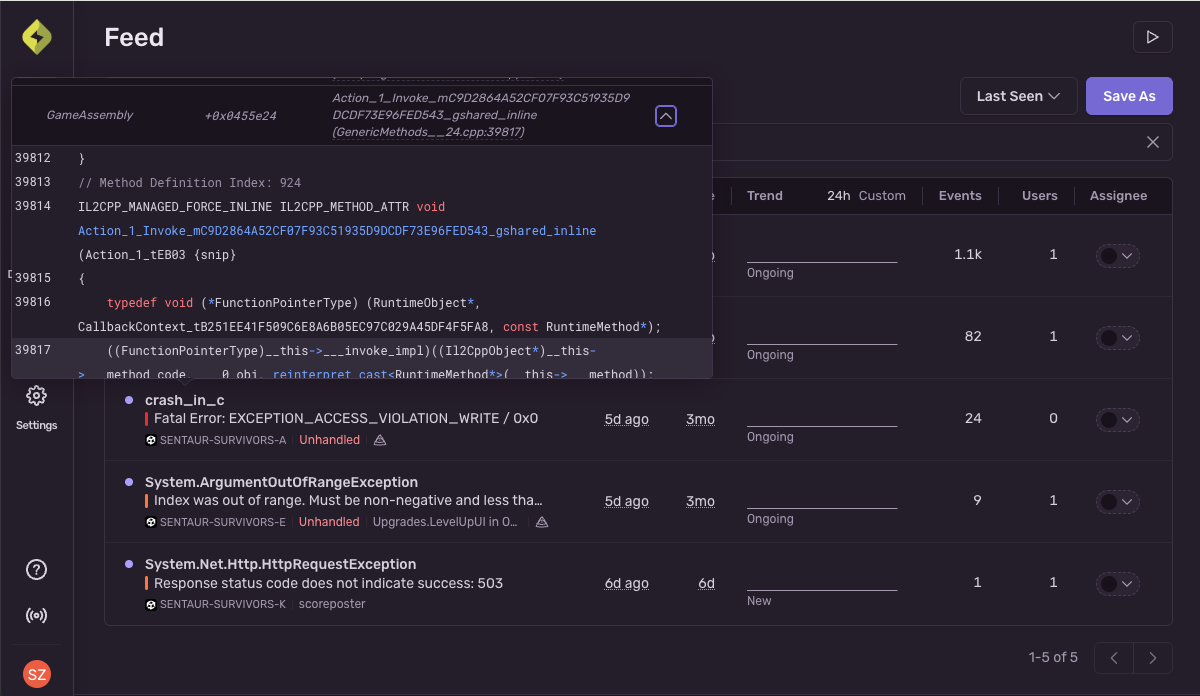
Set alerts and see every issue in one place
Triaging and investigating errors across your builds shouldn’t be an endless fetch quest.
Sentry groups similar error events into issues and alerts you to show how frequently a problem is happening and who it’s affecting.
Search and filter your issues by what’s most important and jump into the details to get context at a glance.
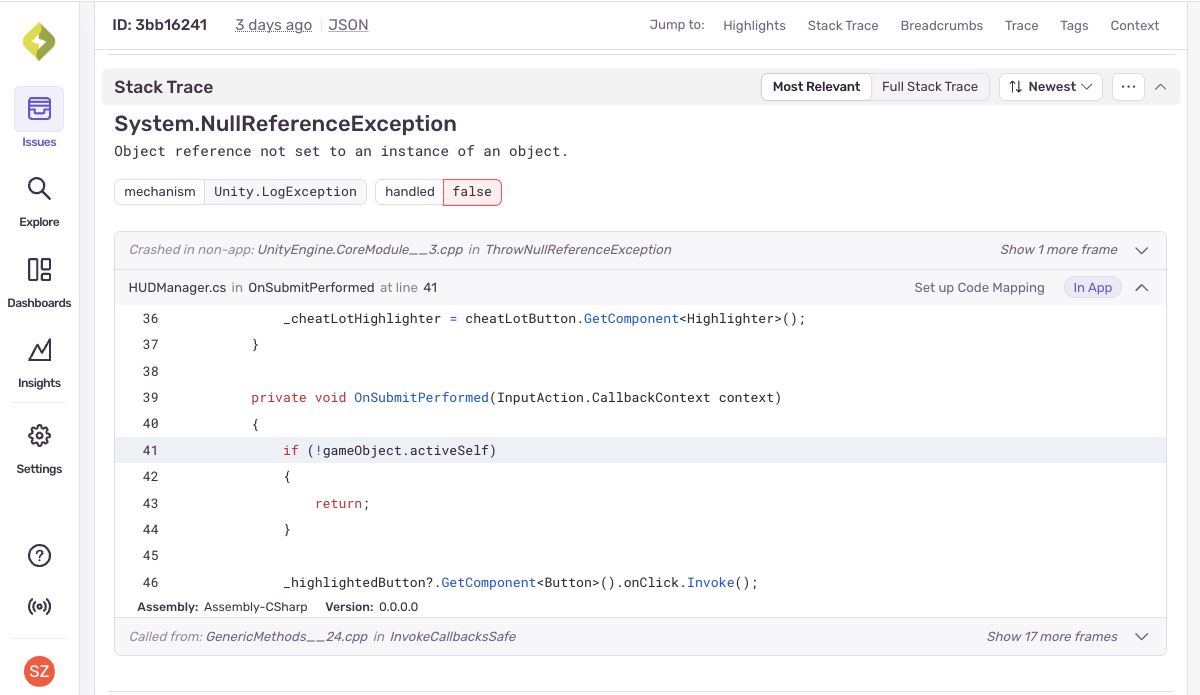
Get stack traces, user and device configuration, and more
If your players experience an issue— from your game failing to instantiate specific objects to simply corrupted savegames — you need to know more than ‘it’s broken’.
Sentry gives you context on device type, orientation, battery level, GPU state, CPU info, and everything about the software and OS that your game is running on so you can reproduce the issue and fix it faster.
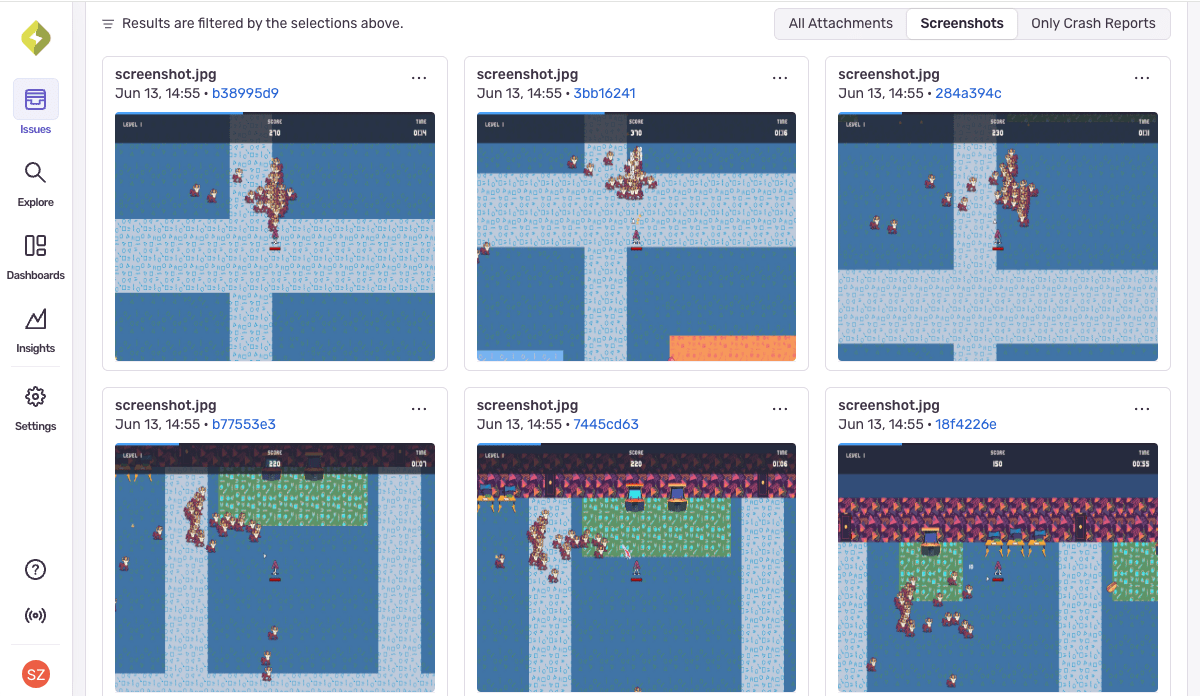
Attach screenshots, custom tags, and logs
When players report crashes during a boss fight, the stack trace doesn’t always explain what triggered it.
Sentry gives you screenshots, logs, device, and OS events as breadcrumbs leading up to crashes.
Including fine-grained information on game state in custom tags (like playerHealth or activeWeapon) or screenshots so you can speedrun your investigation.
Game engine & console support
Unity
Capture C# exceptions, native crashes, and unhandled errors across Windows, macOS, Android, iOS, and consoles, from prototype to production—all with minimal overhead.
Get insights into both editor-time and runtime issues, track crash-free sessions, and surface bugs with full context, including device state, logs, and user breadcrumbs. It’s lightweight, powerful debugging, purpose-built for Unity.
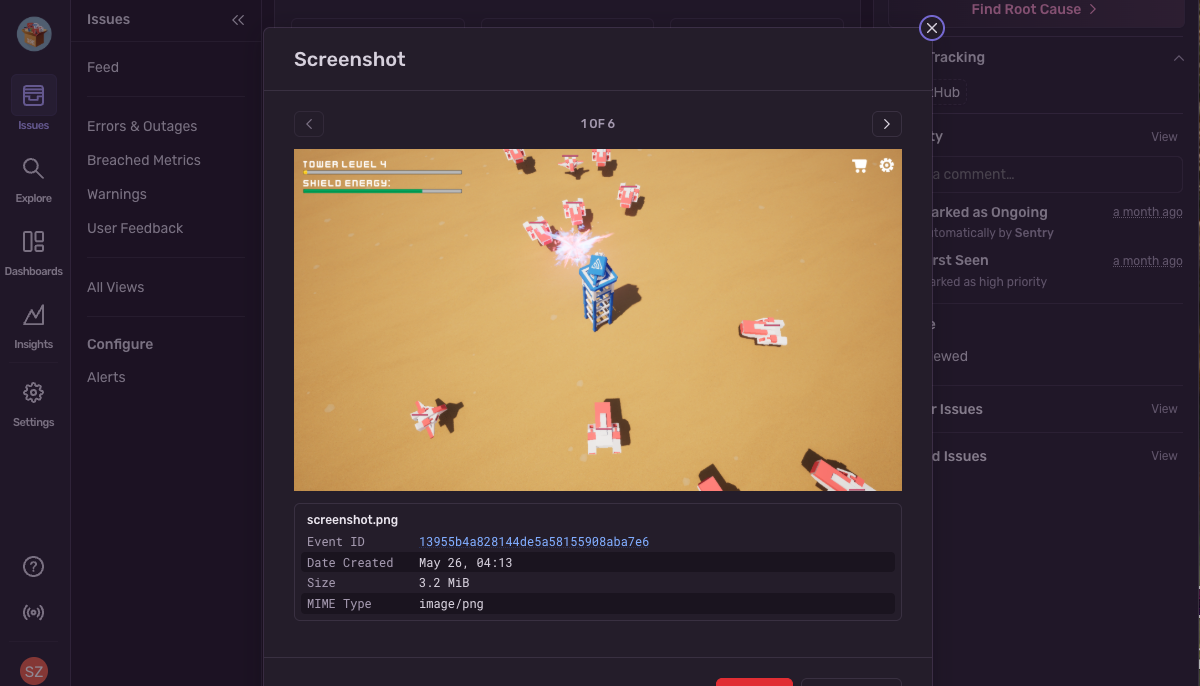
Unreal Engine
Sentry’s Unreal Engine SDK is built for the demands of C++ debugging in high-performance, visually intensive games. Capture native crashes, hard faults, and low-level errors across Windows, Linux, mobile, and consoles—plus game state, device info, and breadcrumbs—to keep cinematic game experiences running smoothly.
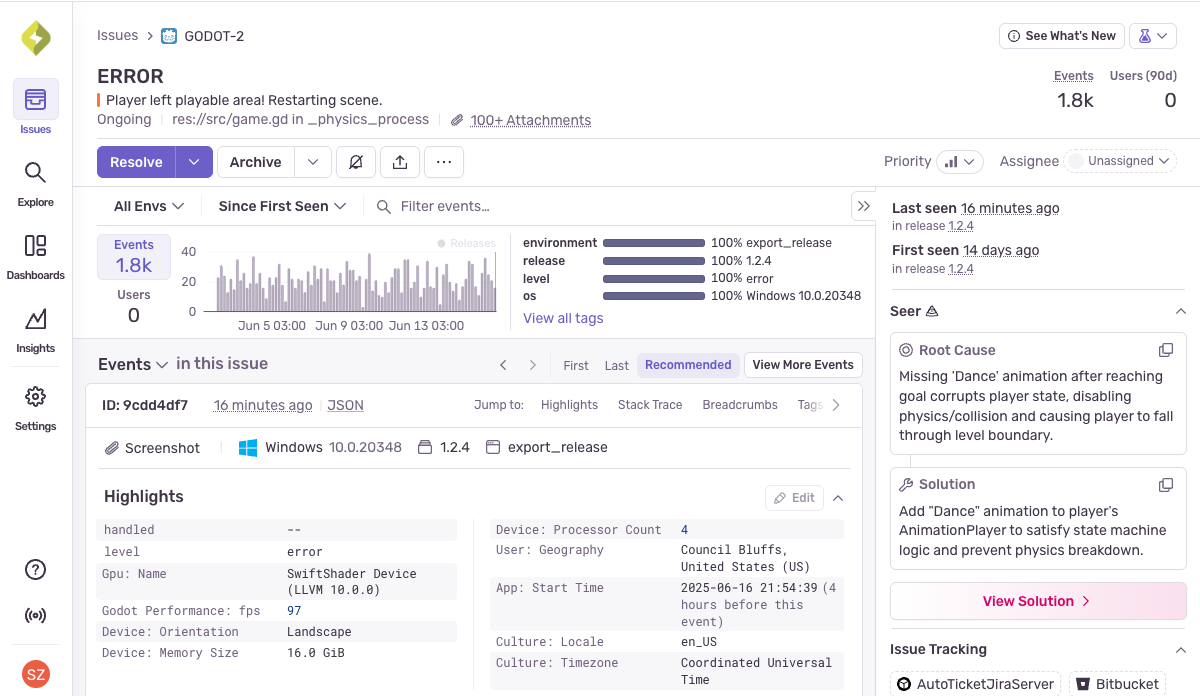
Godot
Sentry is the first application monitoring tool to directly support Godot, with comprehensive crash reporting and error tracking built for your Godot projects giving you lightweight, powerful Godot debugging. Capture GDScript errors and native game crashes across Windows, Linux, and macOS to get visibility into Godot projects from local dev builds to live releases.
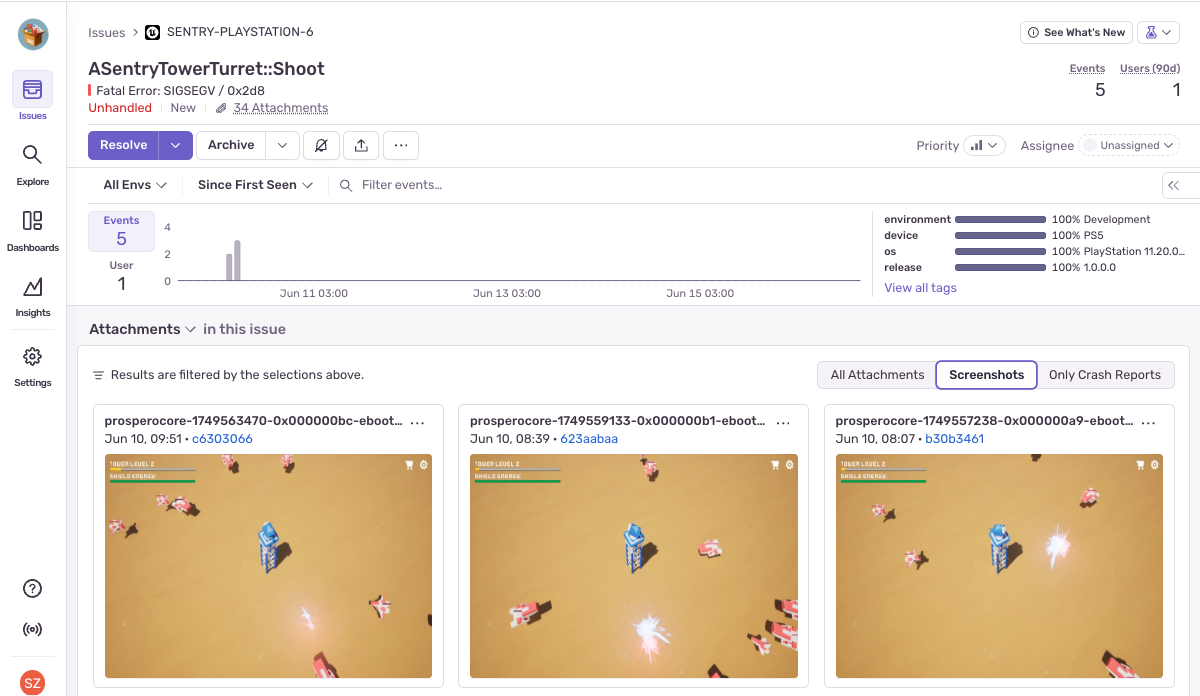
Console support
Sentry supports crash reporting for Nintendo Switch, PlayStation, and Xbox. Here's what you get:
Readable stack traces to quickly identify what went wrong
Built-in symbol server so you can upload your debug files directly to Sentry, as well as custom symbol server support.
Tags and device context like console model, build number, region, and device state
Better performing games and releases
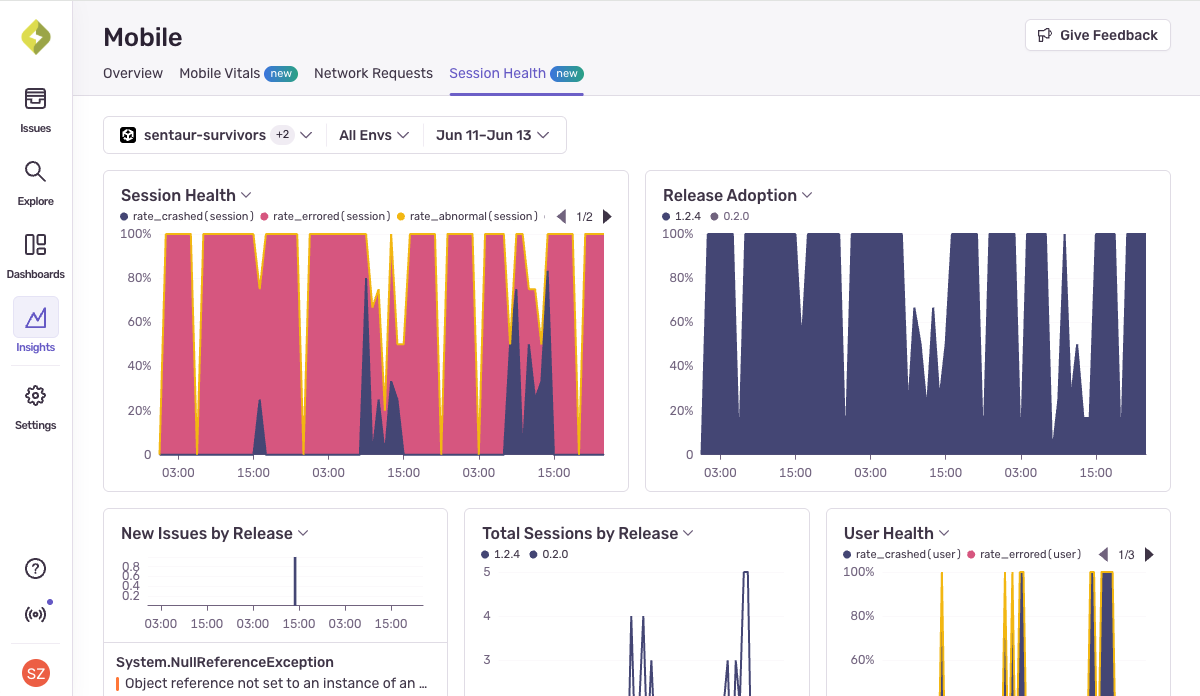
Get crash-free rate, user adoption, and new issues associated with releases
Pushing the latest release of your RTS game into the wild shouldn’t feel like a roll of the dice. Instead of wondering whether your users are going to complain, see version adoption, crash-free sessions, failure rate, and any new issues associated with the release.
Then use the context Sentry provides to prioritize the most impactful bugs affecting your players, and ensure overall stability improves with each update.
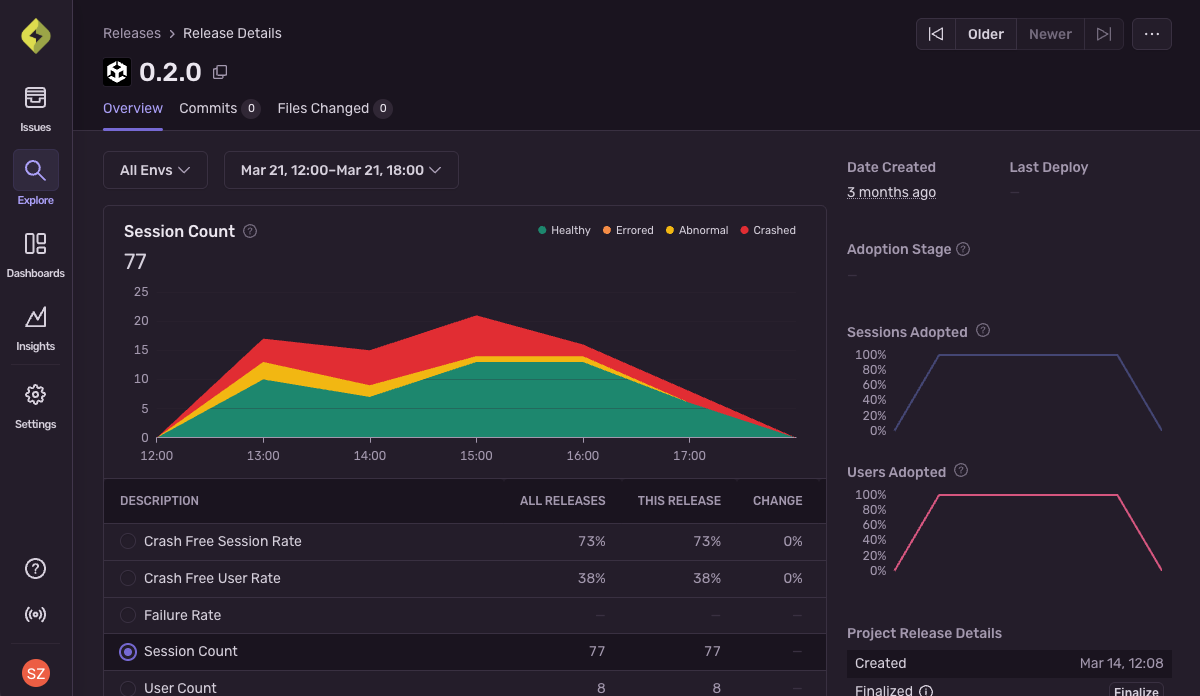
Set metric alerts to understand game stability at a glance
Instead of wondering what the player experience looks like, see critical info on the quality and amount of user sessions across your player base.
Set metric alerts so you know the instant the player experience degrades and quickly see where updates introduced problems.
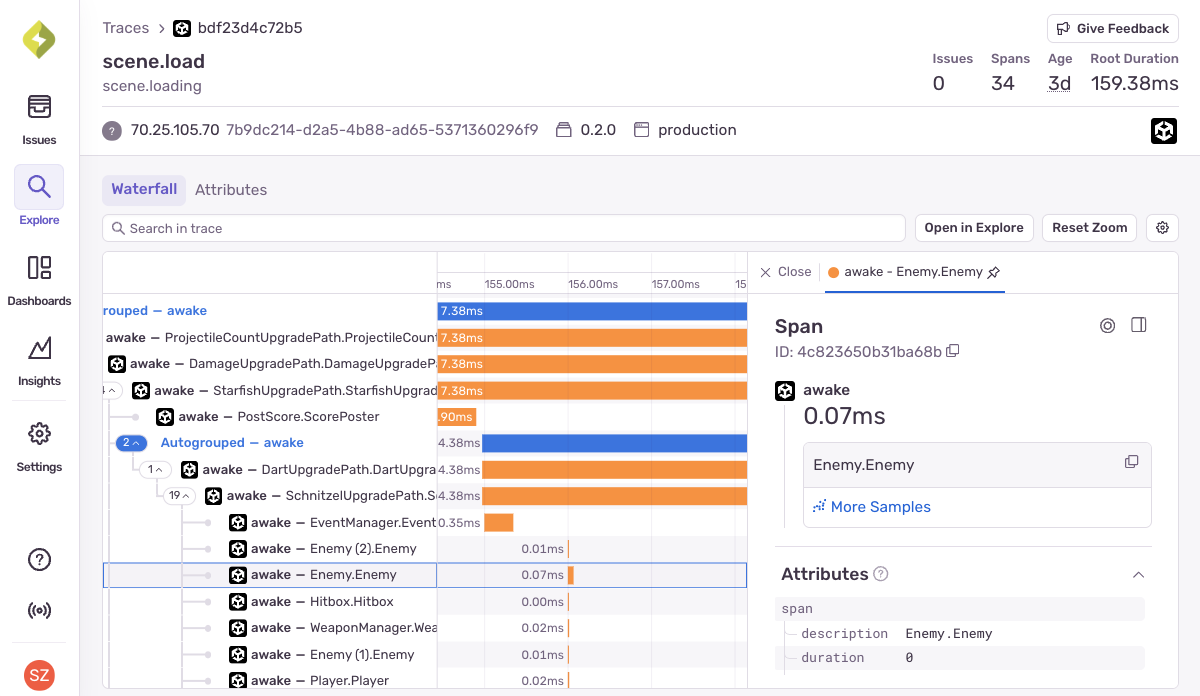
Pinpoint laggy code slowing your players down
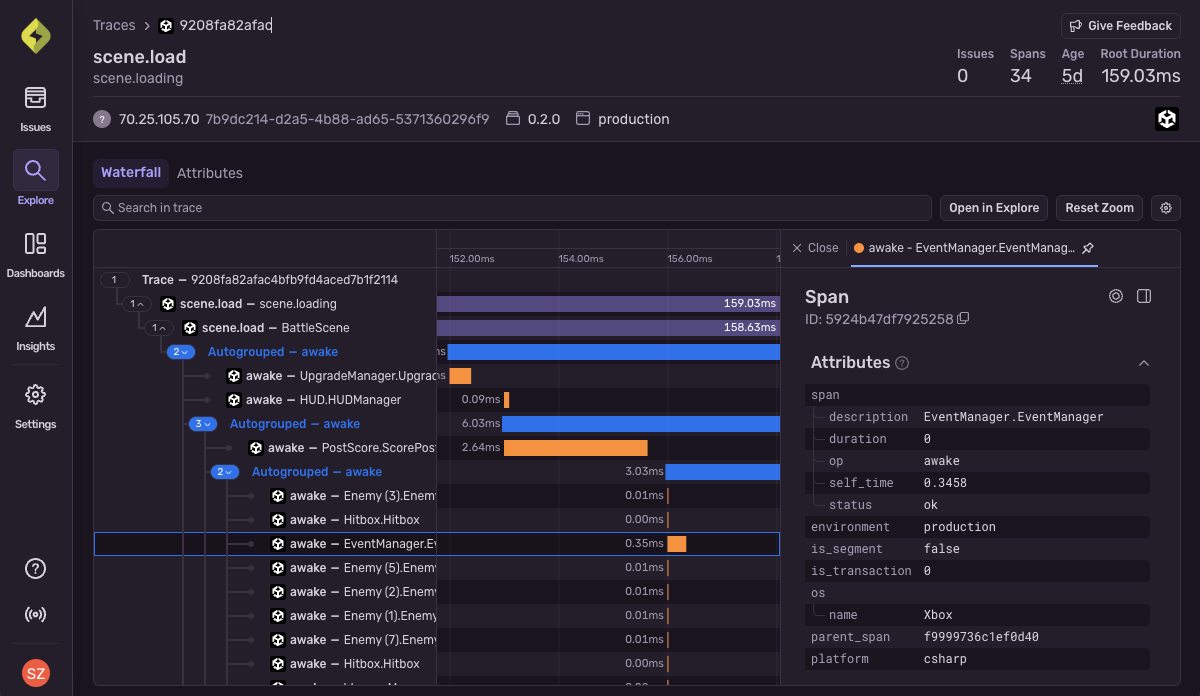
Figuring out what, exactly, is making that one loading screen take forever doesn’t have to be a slog. Use Sentry to identify errors and latency problems in your development and retail builds. Get a breakdown of requests and operations as they happen in your game to see the exact poor-performing API call making players ragequit or slow database query that tanks your loading screens.
Go from issues to code fixes automatically with AI debugging
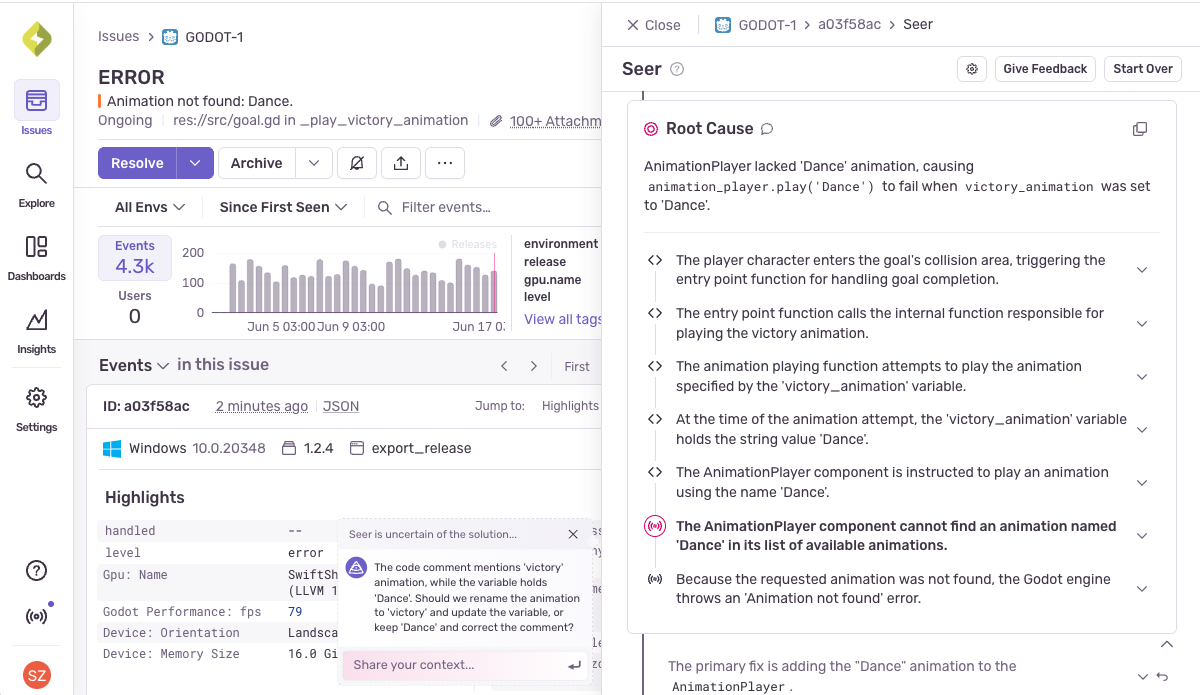
Not sure what’s at fault when your skill tree keeps glitching?
Seer, Sentry’s AI agent, identifies the root cause of problems with 94.5% accuracy, generates code fixes and can create pull requests in GitHub to resolve issues faster.
It’s AI that can help fix everything from AAA platformers to your pet project.
Sentry’s crash reporting capabilities were critical to our launch of VALORANT on Xbox Series and PS5 consoles. Building a custom crash collection solution to support all our target platforms at Riot scale would be extremely complicated. Sentry solves that problem, allowing us to focus on making better games for our players.
Read MoreRiot Games Inc. testimonialMore content for game developers
Using the Sentry Unity SDK for Error and Crash Reporting
It’s one thing to debug your game during development, but once your game is in production, visibility into errors and failures in real gameplay is har...
PlayStation, Xbox, Switch, PC, or Mobile — wherever you’ve got bugs to crush, Sentry can help
With more than 1,500 companies in the gaming industry—including Riot Games, Epic Games, and even Unity—using Sentry to monitor their products, we cont...
Fixing Elusive Unity ANRs: How Amanotes Used Sentry to Cut Errors by 50%
In today’s mobile-first world, users expect apps to launch instantly and respond seamlessly. For game developers, maintaining that buttery-smooth expe...
Fix It
Get started with the only application monitoring platform that empowers developers to fix application problems without compromising on velocity.