Environment Variables in SwiftUI

The problem
In most of the cases we’ll need to store some sort of a value or secret within our app. Whether that’s an API key, or our backend’s URL. We might even want to provide different values for certain properties in Development mode and Production mode.
The Solution
Environment Variables are key-value properties that are defined in a certain place, and can be accessed from within the app. We usually use environment variables to store the API URL for both development and production, we also store our API keys that authorize our app with the backend. One of the super powers of the environment variables is the fact that they are stored in a separate file (that can be git-ignored!). That’s why it’s recommended to store your secrets as environment variables, so you don’t leak them on GitHub.
To setup support for environment variables, we need to create a new Configuration Settings File in our project. So let’s create a new group called Configs in our project and a new debug.xcconfig configuration file inside of it.

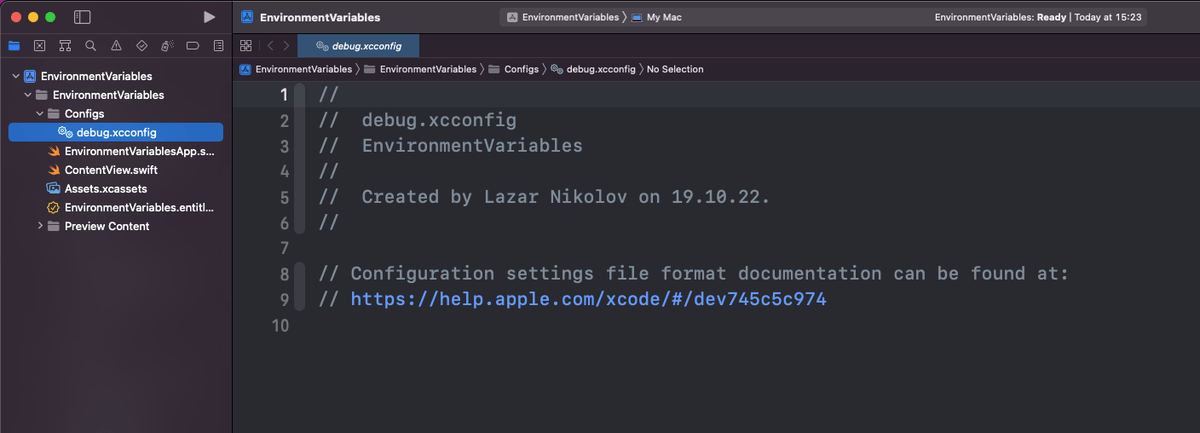
Let’s add a value:
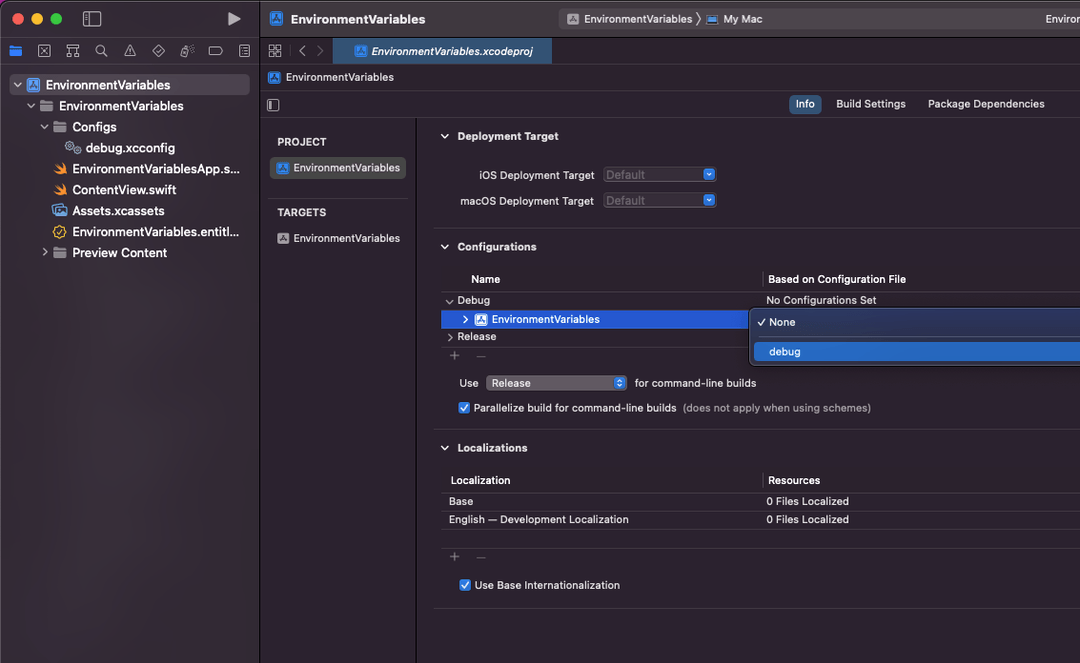
API_URL=debug.sentry.io/apiNow we need to set this file as the Debug configuration file for our project. Head to the Project Settings, and in the Configurations section, expand the Debug item and select the “debug” option for your project:
To make our API_URL variable available in our app, we also need to register it in our info.plist file. To do that:
- Click on the target and go to the Info tab
- Right click on any row in the “Custom Target Properties” and pick
Add Row - Set the key to
API_URLand the value to$(API_URL)
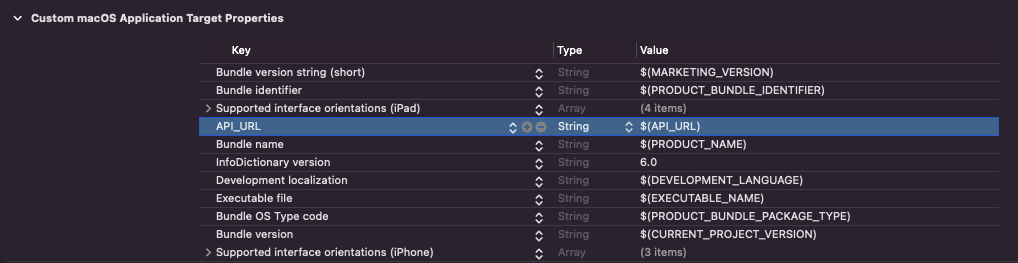
This step injects our environment variables into the “Info Dictionary”, and now we can access them in our code:
if let apiUrl = Bundle.main.infoDictionary?["API_URL"] as? String {
    // we have our API_URL value!
}
More Swift content
- Sentry Swift Error & Performance Monitoring (opens in a new tab)
- Resources Sentry vs. Crashlytics: The Mobile Developer's Decision-Making Guide (opens in a new tab)
- Events Sentry Community (opens in a new tab)
-
 Listen to the Syntax Podcast (opens in a new tab)
 Tasty treats for web developers brought to you by Sentry. Get tips and tricks from Wes Bos and Scott Tolinski.
SEE EPISODES
Related Answers
Considered "not bad" by 4 million developers and more than 150,000 organizations worldwide, Sentry provides code-level observability to many of the world's best-known companies like Disney, Peloton, Cloudflare, Eventbrite, Slack, Supercell, and Rockstar Games. Each month we process billions of exceptions from the most popular products on the internet.